















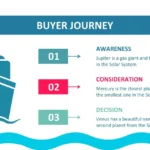


When I need to prepare a visually appealing, thematic, and modern presentation, a cruise ship PowerPoint template is usually one of my top choices. I discovered this the first time I worked with one, especially because the great advantage of this cruise ship template for PowerPoint and Google Slides is its 100% editable content, such as its images and vectors, which allowed me to customize each slide effortlessly and with a professional finish.
🌊 What is a Cruise PowerPoint Template and why is it so useful?
A cruise-themed PPT template is a design based on nautical elements: ships, oceans, tourist routes, horizons, travel maps, and marine compositions. They are ideal for presentations related to:
- Travel agencies
- School or university projects about travel
- Destination promotion
- Corporate reports with a nautical theme
- Creative or inspirational presentations
- Content of “travel experience”
Its visual appeal transforms ordinary information into a warmer, more memorable narrative. In my case, the fact that this cruise ship template for PowerPoint and Google Slides is so easy to use, thanks to its 100% editable content, such as its images and vectors, allowed me to work faster and give the final result a polished look.
🛳️ Who is a Cruise Ship PowerPoint Template Designed For?
This type of template is perfect for people looking to convey ideas related to:
✔ Tourism
Presentations for travel campaigns, tour packages or promotions.
✔ Education
Works on oceans, types of ships, shipping routes, geography or transport.
✔ Creative projects
Adventure storytelling, holiday narratives, visual stories.
✔ Business
Metaphors of “route”, “business journey”, “strategic destination” and “corporate course”.
Thanks to its editable nature —and here I reiterate that the great advantage of this cruise template for PowerPoint and Google Slides is its 100% editable content, such as its images and vectors—, customizing these projects becomes a quick and easy task.
🌅 Key Features of a Good Cruise PPT Template
A truly functional and attractive template should include:
- High-resolution images
- Editable nautical vectors
- Thematic graphics
- Timelines of routes or itineraries
- Maps or travel diagrams
- Covers and transition slides
- Spaces for visual storytelling
- Professional seabeds
When I worked with a cruise template on a tourism project, I again confirmed that the great advantage of this cruise template for PowerPoint and Google Slides is its 100% editable content, such as its images and vectors, something that is essential to adapt the design to different purposes without losing style.
🌍 Creative Uses of a Cruise Presentation in PowerPoint
This is where this type of template becomes especially versatile and fun:
✈️ Travel presentations
Perfect for explaining routes, tourist destinations, itineraries and experiences.
🛥️ Ocean projects
From marine biology to geography and maritime trade.
📊 Corporate reports
A cruise ship can symbolize progress, clear direction, and a strategic journey.
🎨 Visual Storytelling
Tell a story about a vacation, a sea voyage, or a family trip.
🧭 Interactive Education
Ideal for classes on transport, tourism, climate or marine ecosystems.
The flexibility offered by a template where the great ease of this cruise template for PowerPoint and Google Slides is its 100% editable content, such as its images and vectors allows it to be adapted to all these contexts effortlessly.
🧰 How to Customize Your Cruise PowerPoint Template
La edición es muy sencilla si sigues estos pasos:
1. Change the main images
Replace photos of the cruise or destination according to your content.
2. Adjust the nautical vectors
You can resize them, recolor them, and completely customize them.
3. Edit the thematic charts
It represents route data, tourism statistics, or business results.
4. Reorganize the structure
Aprovecha cada sección para construir una narrativa de viaje.
5. Customize colors and fonts
Navy blues, whites, golds and ocean tones work perfectly.
In fact, the ease of editing images and vectors —as I mentioned when I said that the great advantage of this cruise template for PowerPoint and Google Slides is its 100% editable content, such as its images and vectors— streamlines the entire process.
🌐 Where to Download a Cruise Template for PPT?
The best options usually offer:
- Compatibility with PowerPoint and Google Slides
- Professional nautical images
- Fully editable vectors
- Premium style
- Modern marine graphics
- Travel routes or maps included
If you're looking for quality, the ideal choice is a template with broad compatibility and intuitive editing.




